How often have you wanted to take a DVD that you own and move the contents to your laptop, iPod, iPad or, shudder, Android phone to take on a trip. Or maybe you just want to make a backup copy of that DVD for when the original gets lost or scratched. Well there are a number of tools to let you do so, but I was recently given the opportunity to try out one of the easiest. 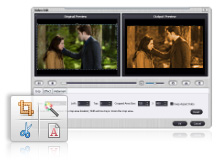
Daniusoft DVD Ripper for Windows and DVD Ripper for Mac OS X are basically the same program, just for the different platforms. DVD Ripper not only allows you to extract whatever movie it may be on your DVD, but will also convert it into MP4, AVI, WMV, MOV, FLV, MPEG or other formats for playback on almost any device. Additionally, you can use DVD Ripper to extract just the audio from a DVD and save that out to MP3, WMA, WAV, M4A, AAC, OGG or AC3 formats. In other words, there are an abundance of options for how to save out the files.
And that is why I said this is one of the easiest tools. DVD Ripper comes with many presets already established so that you don’t have to know the video size, frame-rate, or format of the output you want. Simply select your target device and DVD Ripper will take care of all of this for you. While not as fast in the copying process as some of the other products I have tried, such a the freeware HandBrake or MacTheRipper for the Mac, the pure ease of use wins hands down. Additionally, since DVD Ripper is developed by a commercial entity I would hope that they will keep up with technology. Unfortunately many free products, such as those I mentioned, have been left to languish with no updates. This sometimes makes those products finicky to use on newer operating systems or with new hardware. I have had no such problems at all with Daniusoft’s DVD Ripper.
 . Drive space has come way down in price, and an external drive is easy to pickup and take with you in case of emergency. An external drive such as the
  is a great choice. Western Digital drives are solid and dependable and they have a good company backing them up. Now is not the time to try to find the cheapest thing you can – unless you want to regret that decision later when there is a failure.